Recover Emptied Recycle Bin Files in Minutes
Accidentally emptied the Recycle Bin? Don't panic. PartitionAssistant Recovery helps you recover deleted files from an emptied Recycle Bin quickly and safely before they are overwritten.
- check_circle Recover files after emptying Recycle Bin
- check_circle Recover permanently deleted files
- check_circle Recover Shift + Deleted data
- check_circle Preview files before recovery
For Windows 11/10/8.1/8/7&servers
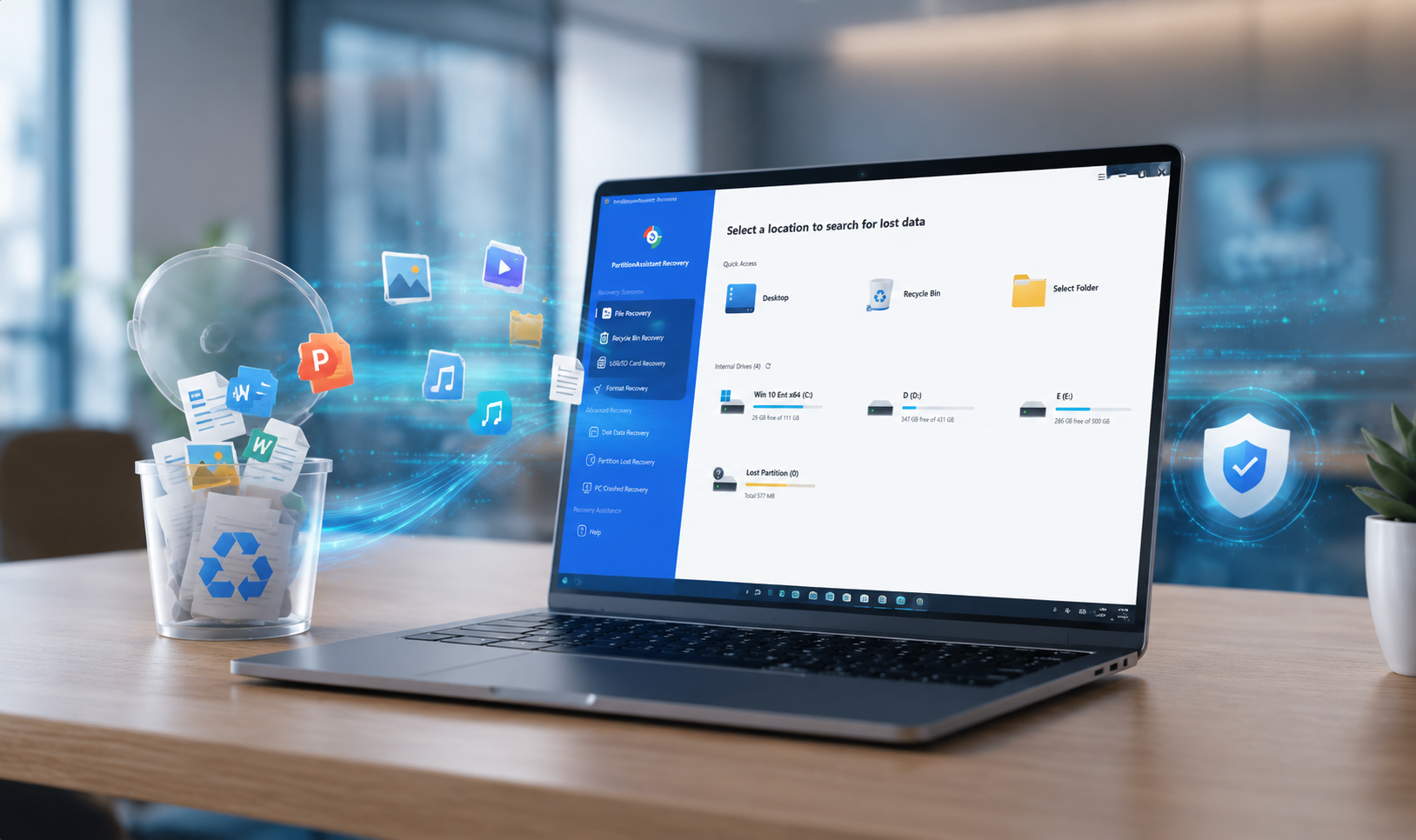
How PartitionAssistant Recovery Helps Recover Emptied Recycle Bin Files
Comprehensive solutions for every data loss scenario.
Recover Files After Emptying the Recycle Bin
Accidentally emptied the Recycle Bin? Files may no longer appear in Windows, but the underlying data can often still be recovered by PartitionAssistant Recovery before the data is overwritten.
Recover Files Missing from Recycle Bin
Files may skip the Recycle Bin due to Windows settings, oversized file deletion, or other system configurations. Recover deleted data even when it never appeared in the Recycle Bin.
Recover Files Removed by Recycle Bin Cleanup
When the Recycle Bin reaches its storage limit, Windows may automatically remove older deleted files to free up space. Recover files that were unexpectedly cleared from the Recycle Bin.
Recover Shift + Deleted Files
Files deleted using Shift + Delete bypass the Recycle Bin entirely and disappear immediately. PartitionAssistant Recovery can scan for these permanently deleted files and restore them when recoverable.
Recover Deleted Files from External Devices
Recover deleted files from USB drives, SD cards, external hard drives, and other removable devices which are usually bypassed from the Recycle Bin and permanently deleted immediately.
Recover Data Lost Due to System Errors
Unexpected shutdowns, disk errors, file system corruption, or system crashes can cause deleted files to disappear unexpectedly. Scan storage devices and recover lost data safely.
What Types of Files Can Be Recovered?
DOC/DOCX, TXT, XLS/XLSX, CSV, PPT/PPTX, PDF, ODP, etc.
JPG/JPEG, PNG, GIF, TIF, HEIC, SVG, ARW, X3F, BMP, PSD, RAW, NEF, etc.
MP4, MOV, AVI, ASF, RM, FLV, QSV, RMVB, MKV, WMV, MPEG, etc.
MP3, CDA, WAV, AAC, AIFF, WMA, VQF, OGG, ARM, APE, FLAC, M4A, etc.
ZIP/ZIPX, 7Z, ZAP RAR, AR/ARC, BZ/BZA, CAR, etc.
MSG, EML, MHT, HTML/XHTML, ASPX, LAB, etc.
Recover Files Deleted from Recycle Bin in 2 Steps
Run Quick Scan in Recycle Bin Recovery
Install and open PartitionAssistant Recovery. Switch to Recycle Bin Recovery and choose the location where the data has been stored to Quick Scan.
- check_circle High-speed scanning engine
- check_circle Real-time results display
Recover Emptied Recycle Bin Files
After scanning, preview and recover the files to your chosen location.
- check_circle Advanced filtering by file type
- check_circle Secure data restoration
Recover More Than Emptied Recycle Bin Files
Our recovery engine handles almost any data disaster.
Formatted Partition
Retrieve documents, photos, videos, and other files from partitions that were accidentally formatted or reformatted.
Deleted Partition
Recover files stored on partitions that were accidentally deleted during disk management, partition resizing, or operating system installation.
Lost Partition
Restore data from partitions that have disappeared due to partition table damage, system errors, or unexpected disk issues.
System Crash
Retrieve important files after Windows crashes, blue screens, unexpected shutdowns, or operating system failures.
Virus Attack
Recover files lost, hidden, corrupted, or removed due to malware infections, ransomware attacks, or virus-related issues.
External Device
Recover deleted and lost files from USB drives, SD cards, memory cards, external hard drives, and other removable storage devices.
Why Choose PartitionAssistant Recovery?
Designed for everyday users and professionals alike, PartitionAssistant Recovery makes data recovery simple, safe, and effective across a wide range of data loss situations.
Simple, Stable, and Fast Data Recovery
Recover lost files in just a few clicks through easy-to-use interface and clear instructions. Simply select a drive, scan for recoverable data, preview the results, and restore the files you need with no technical expertise required.
Optimized for Real-World Data Loss Scenarios
Whether you accidentally deleted files, emptied the Recycle Bin, formatted a partition, or lost access to a drive, PartitionAssistant Recovery is designed to help recover data from the situations users encounter most often.
Safe Recovery Without Further Data Loss
PartitionAssistant Recovery performs read-only scanning and recovery operations, helping protect your original data throughout the recovery process.

Recycle Bin Emptied? Recover Your Files Now
Start scanning now to find deleted Recycle Bin files and restore them before new data overwrites the recoverable content.