Download PartitionAssistant
Professional disk partition management software for Windows PCs and Servers.
- check_circle Extend C: drive, migrate OS to SSD, and clone disks with ease.
- check_circle Convert between MBR and GPT, manage dynamic disks, and resize partitions safely.
- check_circle Move applications and create bootable media to optimize and protect your system.
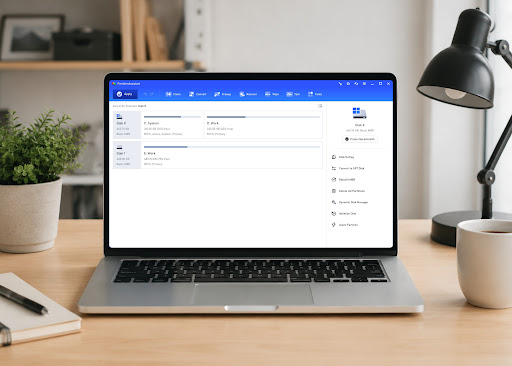
What Can You Do with PartitionAssistant?
Everything you need to optimize, protect, and manage your data.
Extend C: Drive
Easily extend the C: drive to free up space and improve performance.
Merge Partitions
Combine two partitions into a larger one, or add not adjacent unallocated space to any partition.
Create/Delete/Format Partition
Easily create new partitions, delete unnecessary ones, and format them to the file system you need in a single, streamlined operation.
Resize/Move Partition
Solution to "Extend Volume" greyed out or "Shrink Volume" not enough space. Easily adjust partition size without data loss.
Hide/Unhide Partition
Easily hide or unhide a partition according to your needs.
Set Active Partition
Set a partition as active so the system can correctly locate and boot the operating system.
1-Click Adjust Space
Automatically redistribute disk space between partitions with one click for fast and balanced storage optimization.
Check Partition
Not only feature to find errors on partition(s), but also service to fix it.
Extend Partition Wizard
Extend partitions by reallocating free space from other partitions without data loss, helping resolve low disk space issues easily.
Change Partition Type ID
Changing the partition type ID can be useful when converting a partition from one file system to another or when repairing a damaged partition.
Dynamic Volume Management
Extend, shrink, create, delete dynamic volumes, including simple, spanned, striped, mirrored, and RAID-5 volumes.
Change Label
Changing the label of a disk or partition can be useful for organizing and managing data on the disk.
PartitionAssistant System Compatibility
PartitionAssistant is designed to work seamlessly across all modern Windows environments and hardware configurations.
Windows OS
- Windows 11
- Windows 10
- Windows 8.1
- Windows 8
- Windows 7
Windows Server
- Windows Server 2025
- Windows Server 2022
- Windows Server 2019
- Windows Server 2016
- Windows Server 2012
- Windows Server 2011
Hardware Support
- HDD / SSD
- NVMe SSD
- USB Flash Drive
- SD Card
- RAID Support
Frequently Asked Questions
Can I resize partitions without losing data? expand_more
Can I migrate Windows to an SSD? expand_more
Can I convert MBR to GPT without formatting? expand_more
Do these products support Windows 11? expand_more
Ready to take control of your disk with PartitionAssistant?
Join over 80 million users worldwide who trust PartitionAssistant for their disk management needs. Secure, reliable, and easy to use.